eBay · Orders · Fulfillment
eBay Fulfillment API: sync orders and shipping step by step
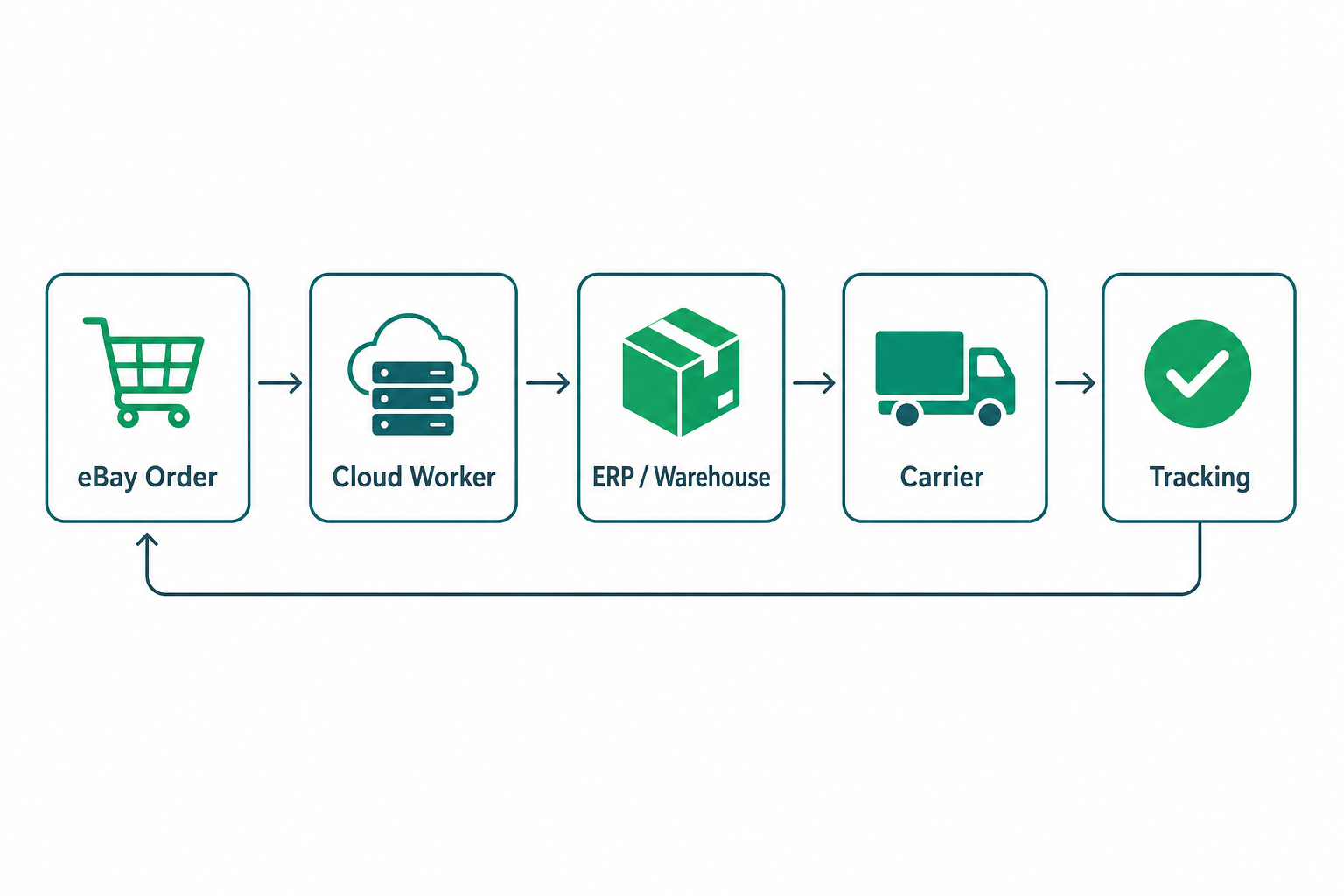
Publishing listings is only half the job. The part that really matters in production is the operational handling of orders: importing, fulfilling, shipping and reporting tracking back to eBay. That is where the eBay Fulfillment API comes in — the part of the Sell API family dedicated to the order lifecycle.
What the Fulfillment API covers
The Fulfillment API exposes seller-side orders and the actions needed to fulfill them. In practice it lets you:
- retrieve orders with
getOrders, filtering by date or status; - read a single order with
getOrder; - create a shipment and push tracking with
createShippingFulfillment; - handle refunds, disputes and return requests.
The order lifecycle
A robust integration does not just "download orders". It models statuses and moves them forward in a controlled way:
| Stage | Integration action |
|---|---|
| New order | Polling or notification, import and dedup by orderId |
| In progress | Create the order in ERP/warehouse and reserve stock |
| Shipped | Push carrier and tracking number with createShippingFulfillment |
| Closed | Reconcile against payouts and handle any returns |
Reliable import: polling and idempotency
The simplest way to import is incremental polling: query getOrders with a last-modified filter and store a checkpoint. Two rules are essential:
- Idempotency: use
orderIdas a unique key so you never create duplicate orders if the same page is processed twice; - Overlap window: query with a small time margin around the last checkpoint, so you do not miss orders that landed on the window boundary.
Pushing shipment and tracking
When the warehouse ships, the integration calls createShippingFulfillment with the shipped line items, the carrier and the tracking number. eBay updates the order status and notifies the buyer. Watch out for:
- handling partial shipments when not all lines leave together;
- normalising carrier names to the values eBay accepts;
- retrying on transient errors without sending the same tracking twice.
Why you need an asynchronous flow
In a real store orders arrive in bursts and systems are not always in sync. Decouple import and fulfillment with queues and workers: one component imports and enqueues, another fulfills and updates. A spike of orders or a warehouse error then does not block the whole pipeline, and retries are safe thanks to idempotency.
A typical architecture on Azure
A reliable order pipeline on Microsoft Azure can combine:
- Azure Functions on a timer trigger for order polling;
- Service Bus to queue imported orders;
- Workers that fulfill, sync the ERP and push tracking;
- a database for checkpoints, status and operation logs.
Mistakes to avoid
- importing without dedup and creating duplicate orders;
- pushing tracking synchronously from the warehouse without retries or idempotency;
- ignoring returns and refunds, which change the order status and value;
- not monitoring failures: without alerts you discover problems from negative feedback.
Conclusion
The Fulfillment API is the operational heart of an eBay integration. Importing orders idempotently, fulfilling them with asynchronous flows and reporting tracking reliably is what separates a demo from a system that holds up under real volume. Official documentation: eBay Fulfillment API — Overview.