Google · Merchant API · Feed
Migrating from Content API to the Google Merchant API (before August…
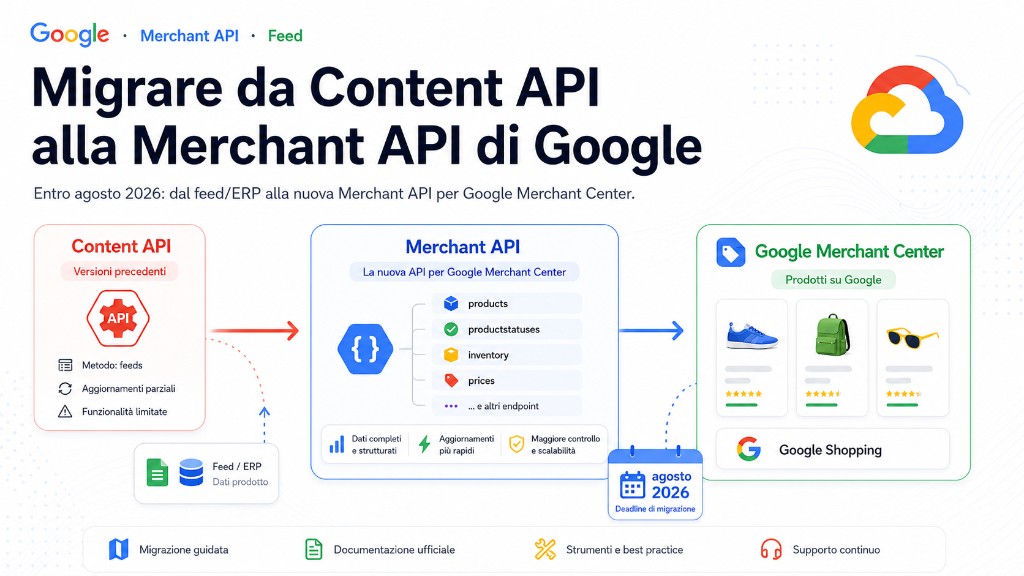
Google is shutting down the Content API for Shopping and replacing it with the new Merchant API. This is not optional: anyone sending products to Google Merchant Center programmatically must migrate, or products stop updating and disappear from Shopping results. This guide explains what changes and how to plan the migration without downtime.
The deadlines to mark right now
Two dates really matter. The Merchant API v1beta was discontinued on 28 February 2026; the legacy Content API for Shopping is permanently shut down on 18 August 2026, with no transition period afterwards. After that date, integrations that haven't migrated simply stop working.
What changes: from monolith to modular sub-APIs
The Merchant API is a redesign of the Content API: instead of a single monolithic interface, it exposes specialised sub-APIs, each with its own lifecycle. This makes code clearer but requires remapping your existing calls.
| Sub-API | Purpose |
|---|---|
| Products | Submitting and managing product data |
| Inventories | Local, regional and supplemental availability and prices |
| Accounts | Account configuration, users and settings |
| Datasources | Managing multiple data sources per account |
| Reports | Advanced reporting and diagnostics |
The technical differences that affect your code
- No
customBatch: the Content API batch method is gone. Multiple operations are sent together or run asynchronously. - Explicit datasource concept: products uploaded via API live in a dedicated data source, separate from file feeds.
- OAuth 2.0 / service account auth as before, but with the new Merchant API scopes.
- Updated client libraries: Google recommends adopting them to speed up migration and avoid hand-managing REST endpoints.
How to plan the migration, step by step
- inventory your current Content API calls (products, inventory, accounts) and map them to the matching sub-APIs;
- introduce datasource management for products uploaded via API;
- replace
customBatchwith multiple submissions or asynchronous flows; - run in parallel (dual-write) until you've validated the results in Merchant Center;
- cut over from the Content API well before 18 August 2026, not at the last minute.
The impact on your feed architecture
The migration is the right moment to clean up the pipeline. If you generate products from an ERP or PIM, keep a single point that produces the canonical model and then publishes to the Merchant API: the same principle described in the architecture of a multichannel product feed. For the scheduled ERP-to-Merchant-Center pipeline, what we covered in the guide on syncing the feed to Google Merchant Center still applies, and data quality keeps depending on how you optimise your feed attributes.
Concrete call mapping
The first job is not writing new code; it is building an equivalence table between legacy calls and the new responsibility. In a typical audit I start here:
| Content API | Merchant API | Operational note |
|---|---|---|
products.insert | Products sub-API | requires a datasource consistent with the upload channel |
products.custombatch | multiple submissions + queue | do not recreate synchronous batch semantics: retry per item |
inventory.set | Inventories sub-API | separate price/availability from stable product data |
accounts.* | Accounts sub-API | verify permissions and OAuth scopes before cutover |
Dual-write runbook
- create the Merchant API datasource in a controlled environment and store its id in configuration;
- write to both Content API and Merchant API for a low-risk SKU subset;
- compare status, disapprovals and propagation time in Merchant Center;
- enable dual-write for a full category, keeping a rollback flag;
- when errors are stable, turn off Content API and keep Merchant API monitoring only.
{
  "sku": "ERP-12345",
  "legacyContentApiStatus": "accepted",
  "merchantApiStatus": "accepted",
  "datasourceId": "accounts/123/dataSources/456",
  "lastComparedAt": "2026-06-21T08:30:00Z"
}
Common mistakes
- postponing the migration until close to the deadline, with no room for testing;
- reproducing
customBatchone-to-one instead of rethinking the flow asynchronously; - forgetting to remap OAuth scopes and account permissions;
- migrating the code but not monitoring disapprovals after the switch.
Conclusion
The Merchant API is not just a rename: it's a modular model that, once adopted, makes the integration with Google cleaner and more maintainable. The real risk is the deadline: plan now, run in dual-write and cut over from the Content API early. Useful references: the Merchant API overview and the official migration guide.