Feed · Google · Azure
Google Merchant Center: sync the product feed from ERP on Azure
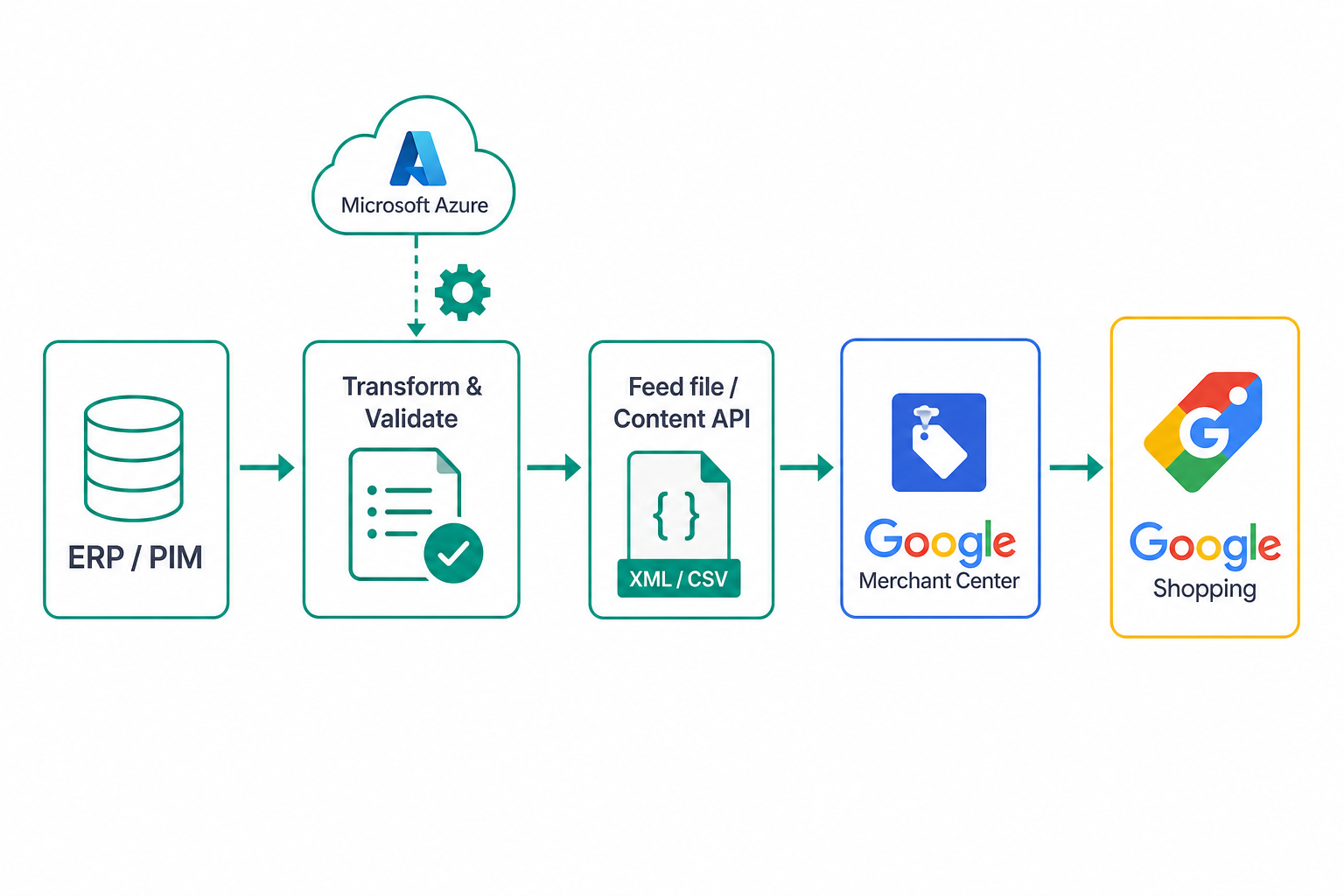
Google Merchant Center is the gateway to Google Shopping and product ads. For anyone whose catalog is managed in an ERP, the challenge is not uploading a file once, but keeping the feed in sync with real prices and availability. Let's see how to do it with a scheduled architecture on Microsoft Azure.
Two ways to feed Merchant Center
| Method | When to use it |
|---|---|
| Feed file (XML/TSV) | Medium catalogs, scheduled periodic updates |
| Content API for Shopping | Targeted, near-real-time price/stock updates |
Often the best solution is hybrid: a periodic full feed as the baseline and the Content API for fast updates of the most volatile fields.
The attributes you cannot miss
id,title,description;linkandimage_link;availabilityandprice;brandand identifiers (gtinormpn);conditionandgoogle_product_category.
The quality of these fields directly affects product approval and visibility.
The synchronisation pipeline
- Extraction: read products from the ERP/PIM with up-to-date prices and stock;
- Transformation: map internal fields onto Merchant Center attributes;
- Validation: check required fields, formats and consistency before sending;
- Publication: generate the feed or call the Content API;
- Monitoring: read product status and fix disapprovals.
Scheduled architecture on Azure
A typical pipeline on Microsoft Azure includes:
- Azure Functions with a timer trigger for scheduled cycles;
- a transformation and validation step;
- Blob Storage to host the feed file (a URL Google can fetch);
- Content API for targeted price and availability updates;
- logs and alerts to catch disapproved products or feed errors.
Real example of a validated TSV row
Before publishing I always generate a control file with a few sample rows: one valid row, one without GTIN, one discounted and one unavailable. It verifies encoding, separators and transformations before the full feed.
id	title	description	link	image_link	availability	price	brand	gtin	condition
ERP-12345	Men running shoe	Lightweight training shoe	https://shop.example.com/p/erp-12345	https://cdn.example.com/p/erp-12345.jpg	in_stock	79.90 EUR	Example	8051234567890	new
If the page price changes faster than the full feed, I use an API delta only for price and availability. The nightly feed remains the source for the full product sheet; the delta avoids temporary price-mismatch suspensions.
Operational anti-disapproval checklist
- compare feed price vs page price for at least top SKUs before publication;
- validate image URL with HTTP 200 and correct MIME type;
- normalize availability:
in_stock,out_of_stock,preorder; - daily report of disapproved items, grouped by reason and ERP category;
- alert if disapprovals exceed a percentage threshold of submitted items.
Handling disapprovals
Merchant Center reports issues at the product level: wrong identifiers, prices inconsistent with the page, invalid images. It pays to periodically read product status via API and surface errors where they can be fixed at the source (in the ERP/PIM), instead of "patching the feed".
Common mistakes
- feed updated too rarely compared to real prices and stock;
- prices in the feed different from the landing page (a cause of suspension);
- missing or wrong product identifiers;
- no monitoring of disapprovals.
Conclusion
Syncing Google Merchant Center from the ERP is a data-pipeline problem, not a file problem: extraction, transformation, validation and scheduled publication, with the Content API for fast updates. On Azure this pipeline is simple to automate and monitor. Official reference: Google Merchant Center Help.