Shopify · ERP · E-commerce
Integrating Shopify with your ERP: orders, stock and catalog
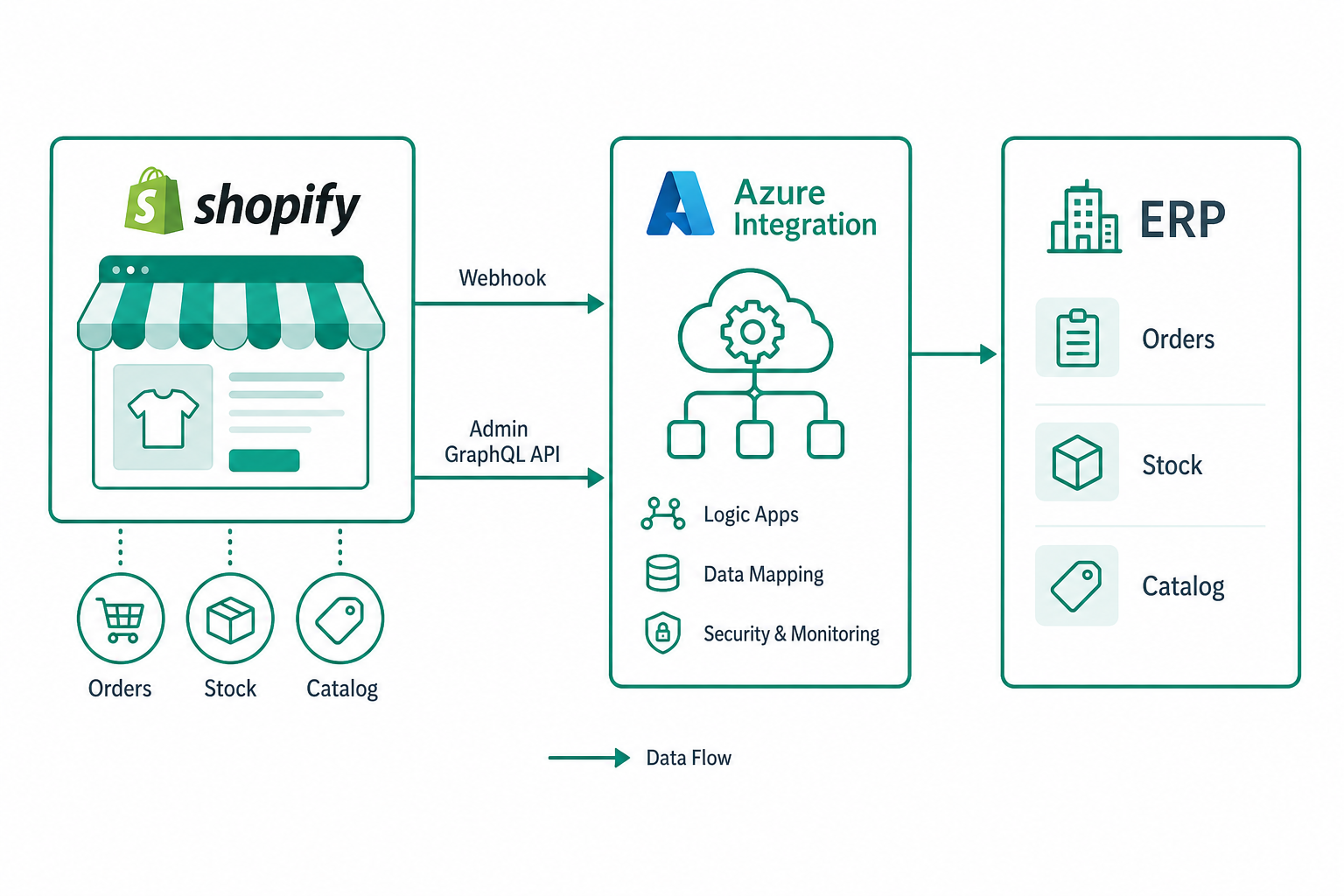
Shopify is one of the most popular e-commerce platforms, but on its own it does not talk to the back office. Integrating Shopify with the ERP means keeping catalog, stock and orders reliably aligned, avoiding double entry and manual errors.
Shopify's tools
| Tool | Use |
|---|---|
| Admin GraphQL API | Read/write products, inventory, orders |
| Webhooks | Event notifications (orders, updates) |
| Bulk Operations | High-volume extracts and changes |
The Admin GraphQL API is today the main route; webhooks enable event-driven flows; bulk operations serve large catalogs.
Orders: prefer webhooks
To import orders, webhooks (e.g. orders/create) are preferable to polling: Shopify notifies the event, the integration enqueues it and a worker creates the order in the ERP. Two essential precautions:
- HMAC signature verification to accept only authentic webhooks;
- idempotency: webhooks can repeat, so dedup by order id.
Stock and catalog
Stock must be synced at the inventory item and location level: Shopify manages stock per location. From the ERP you propagate quantities (with an anti-overselling buffer) and from the catalog you align products, variants and prices. Work in deltas and avoid rewriting the whole catalog every cycle.
Mapping products and variants
Shopify variants (for options like size/colour) must be mapped to back-office SKUs. Keep a stable link between the ERP SKU and the Shopify variant id, so updates always hit the right entity without ambiguity.
Event-driven architecture on Azure
A robust integration on Microsoft Azure: an endpoint (Azure Function) that receives webhooks, verifies their signature and enqueues them on Service Bus; workers that create orders in the ERP and propagate stock and catalog to Shopify with retry and rate limiting; secure token handling in Key Vault; observability with correlation IDs.
Shopify rate limits
Shopify applies limits (with a query cost in the GraphQL API). Handle them with throttling and backoff, monitoring the remaining cost the API returns so you stay within budget. Bulk operations help reduce the number of calls for large volumes.
Practical example: SKU mapping and stock update
The key data to store is not only the SKU, but the relationship between ERP SKU, variantId, inventoryItemId and Shopify location. Without this table, stock updates become ambiguous as soon as variants or multiple warehouses exist.
{
  "erpSku": "TSHIRT-BLK-M",
  "shopifyVariantId": "gid://shopify/ProductVariant/431234567890",
  "inventoryItemId": "gid://shopify/InventoryItem/9876543210",
  "locationId": "gid://shopify/Location/123456789",
  "safetyBuffer": 2
}
An ERP availability of 17 units becomes 15 publishable units if the anti-overselling buffer is 2. Emit the GraphQL mutation only when the calculated quantity actually changes.
mutation inventorySetQuantities($input: InventorySetQuantitiesInput!) {
  inventorySetQuantities(input: $input) {
    inventoryAdjustmentGroup { createdAt reason }
    userErrors { field message }
  }
}
Real duplicate-webhook handling
For orders/create I always store the X-Shopify-Webhook-Id header and the order id. If the same webhook comes back within 48 hours, the endpoint returns 200 but does not recreate the order. If only the order status changed, it emits a separate update event.
Common mistakes
- webhooks without HMAC verification and without idempotency;
- stock synced without accounting for locations;
- full catalog rewrite instead of deltas;
- no stable link between ERP SKU and variant id.
Conclusion
Integrating Shopify with the ERP is mostly about reliable events and stable mapping: signed, idempotent webhooks for orders, per-location stock sync and delta-based catalog sync, all on an event-driven architecture. Official documentation: Shopify Admin GraphQL API.